Pages
Write in workspaces, alone or together live, with everyone's cursor on the page. Add pictures and files, link pages with @ or [[ ]], drag one under another and see them all as a graph.
 Notereef
 keeps what you would otherwise spread over five apps: pages you write alone or with others, a calendar, tasks, your budget and savings, spreadsheets, whiteboards and your files, with an assistant that helps with all of it.
No ads, no tracking. In English, Polish, German and Spanish.
What is inside
One app instead of five, and one calm look for all of it.
Write in workspaces, alone or together live, with everyone's cursor on the page. Add pictures and files, link pages with @ or [[ ]], drag one under another and see them all as a graph.
Your days and what is planned in them, yours alone or shared with a workspace. Events can come back every week, month or year, and a timetable can be read from a screenshot.
A board of three columns: to do, in progress and done. With deadlines, reminders on your phone and, in an organization, the department a task is for.
A monthly budget, savings goals and expenses shared with friends. Stocks and funds at current prices, with every buy and sale and your portfolio over time.
Cells with values, formulas and about a hundred functions, shared like everything else. A cell can even be worked out by a few lines of code.
Sketch, write and stick notes on a board without edges, alone or with others.
Your own files and folders, and a shared drive for every organization. Share a folder with chosen people, upload a whole folder or download one as a ZIP.
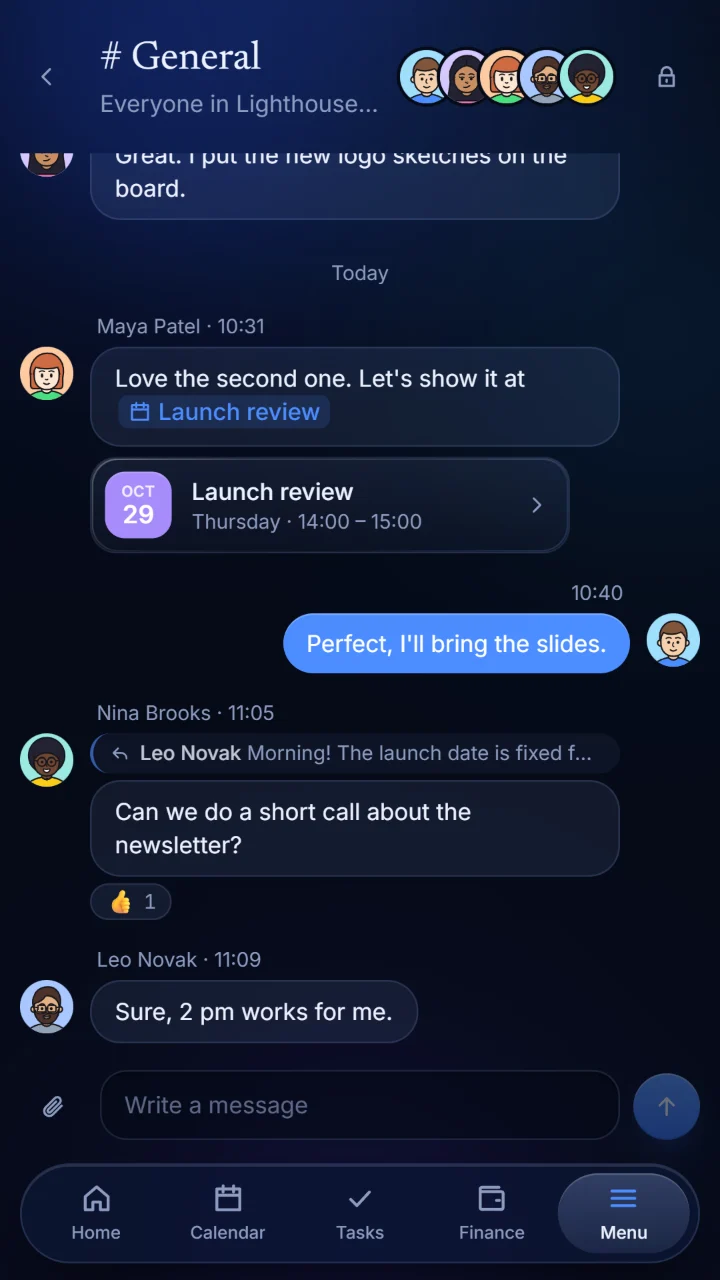
Every organization has a chat: channels for everyone or for chosen people, and private messages. Reply, react, send files and point at a page or an event with @. Anyone can be blocked or reported.
A shared place for a family, a team or a company, with departments. You choose, part by part, who may change things, who may only look and who sees nothing.
An assistant that reads and adds to your calendar, tasks, pages, spreadsheets and money once you allow it. In the Windows app it runs on your own computer, works in a folder and searches the web; anywhere, it can use your own key for Gemini, Claude or ChatGPT.
On Windows, say “Hey Reef” and ask: open a program, play a song, change the volume, or click and type for you inside a program. An orb on the screen listens and sees what you mark.
In the Windows app, run a program of your own and use its page right inside Notereef, next to everything else. Its files can be kept with your account and shared with people you trust.
Pages
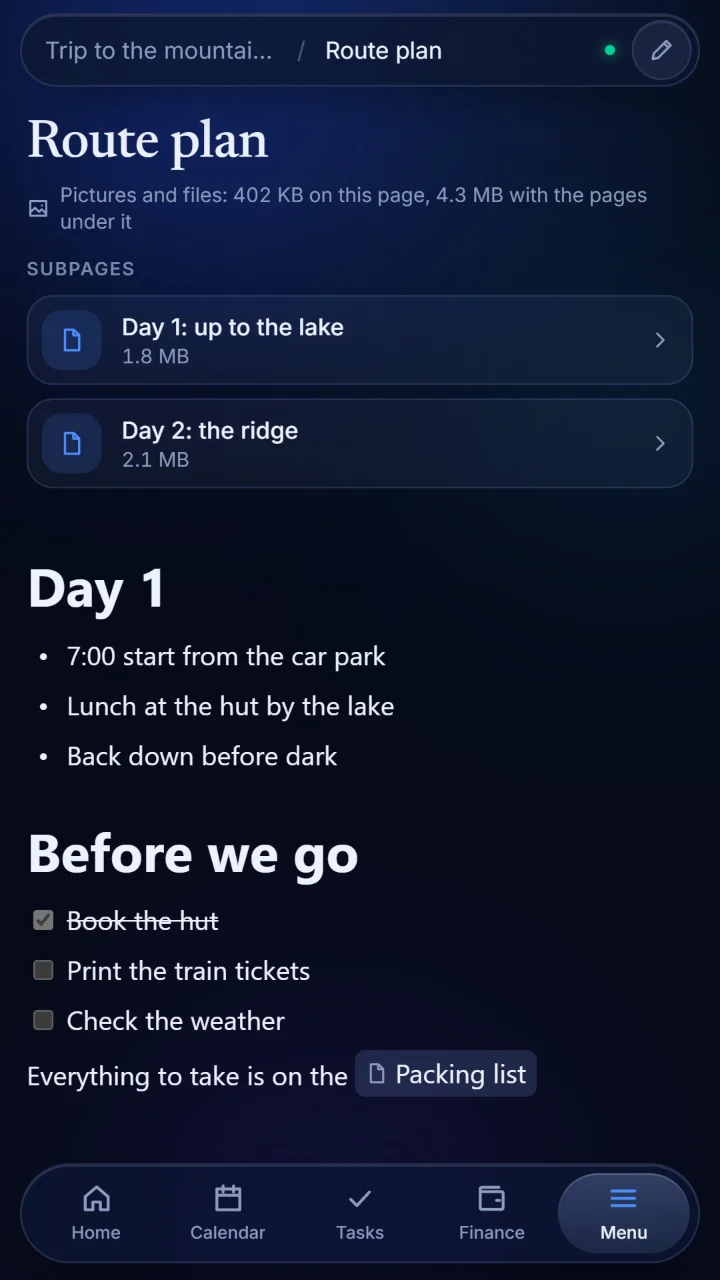
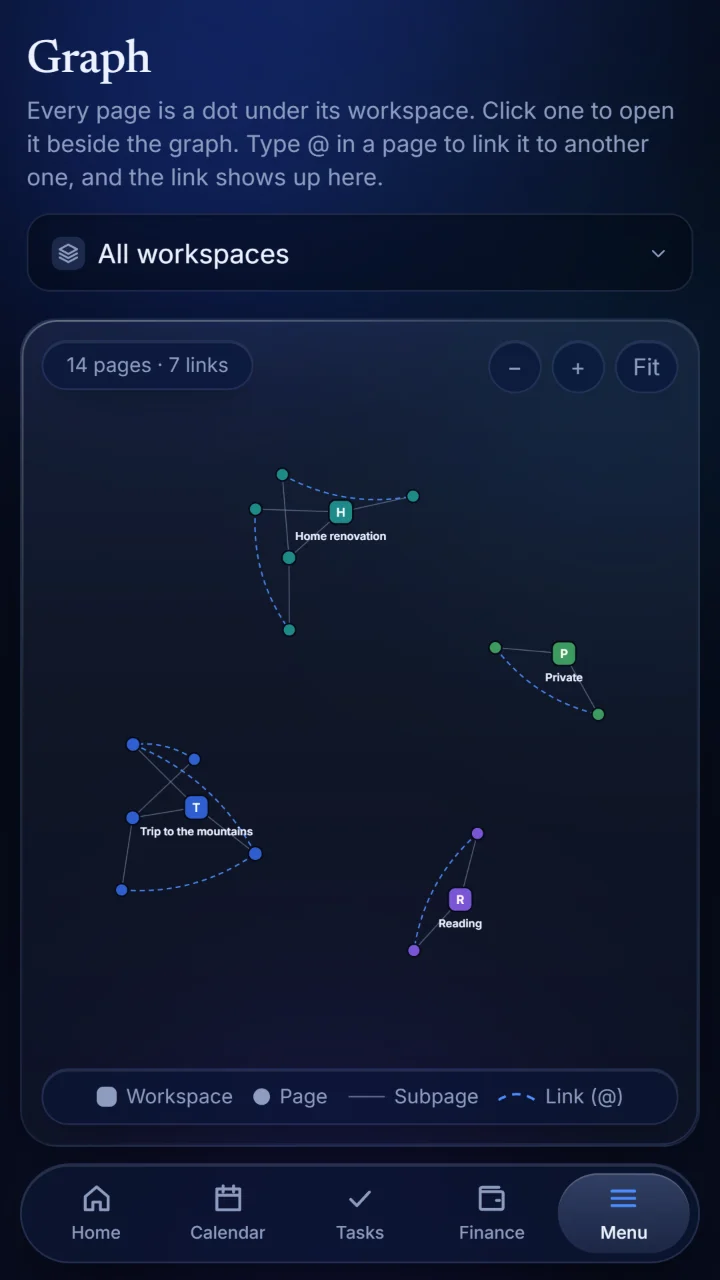
Every page is a dot under its workspace. Type @ to link one page to another, and the link shows up in the graph.
Calendar and tasks
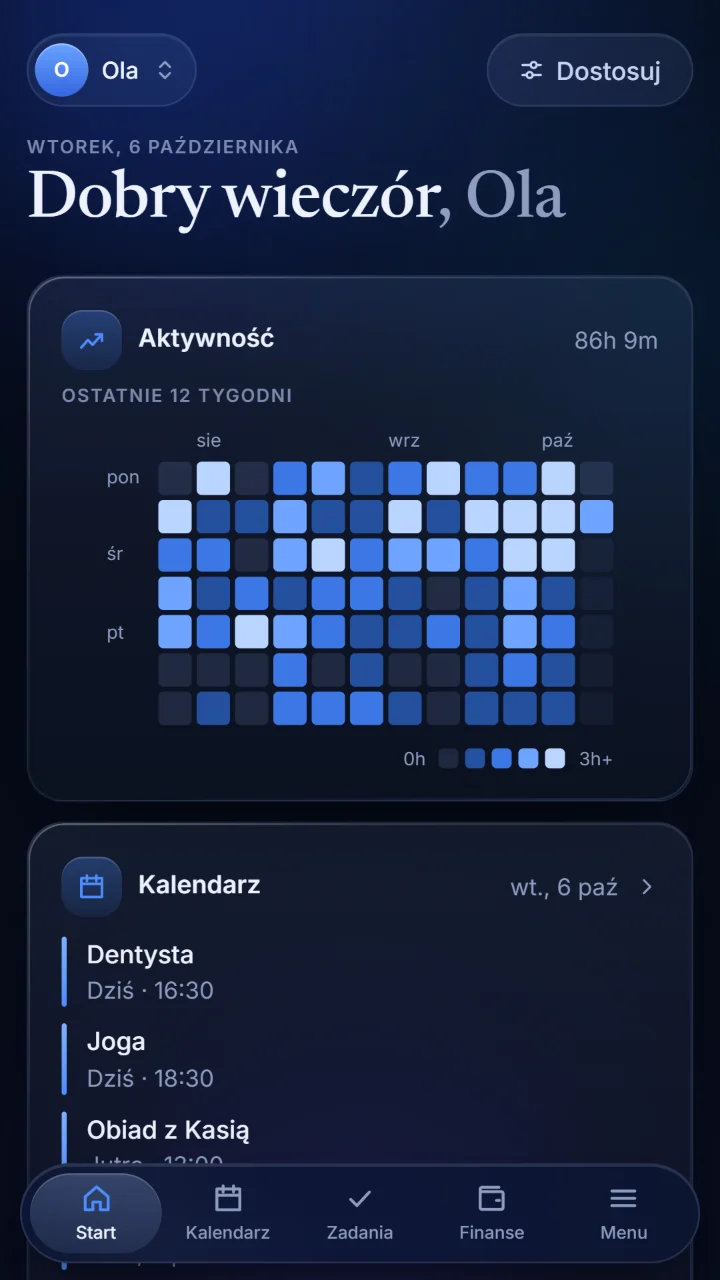
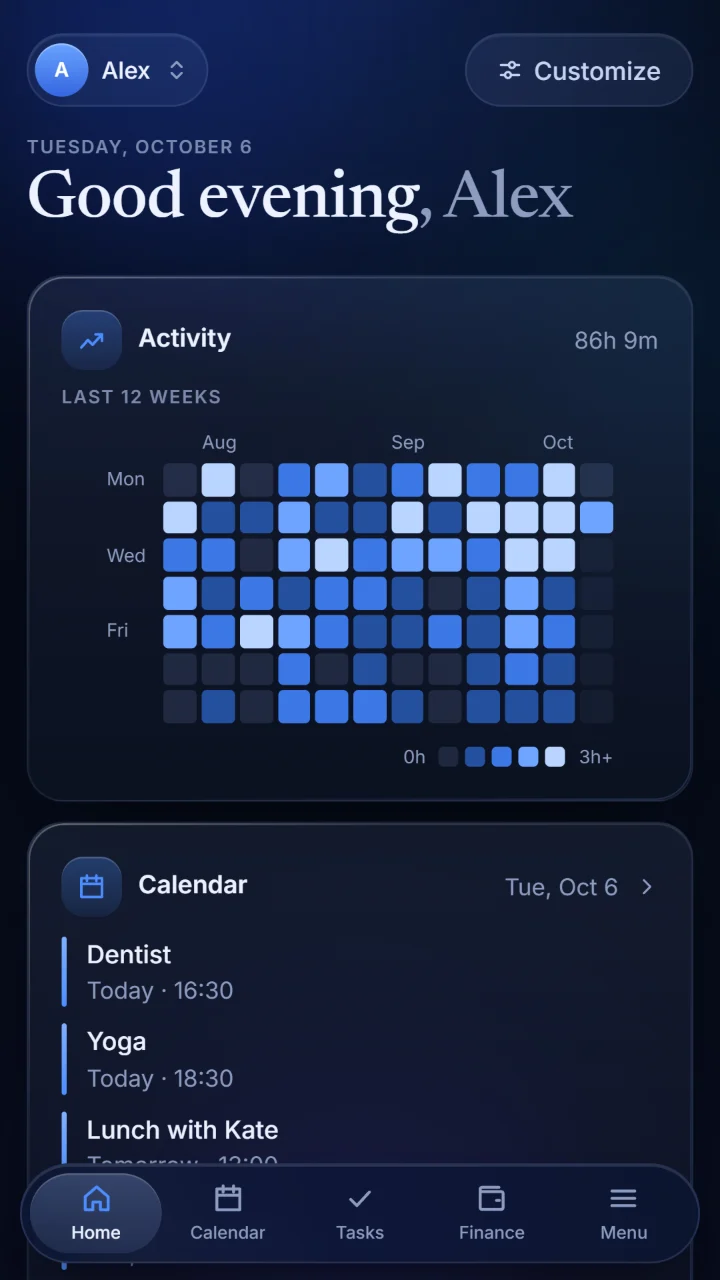
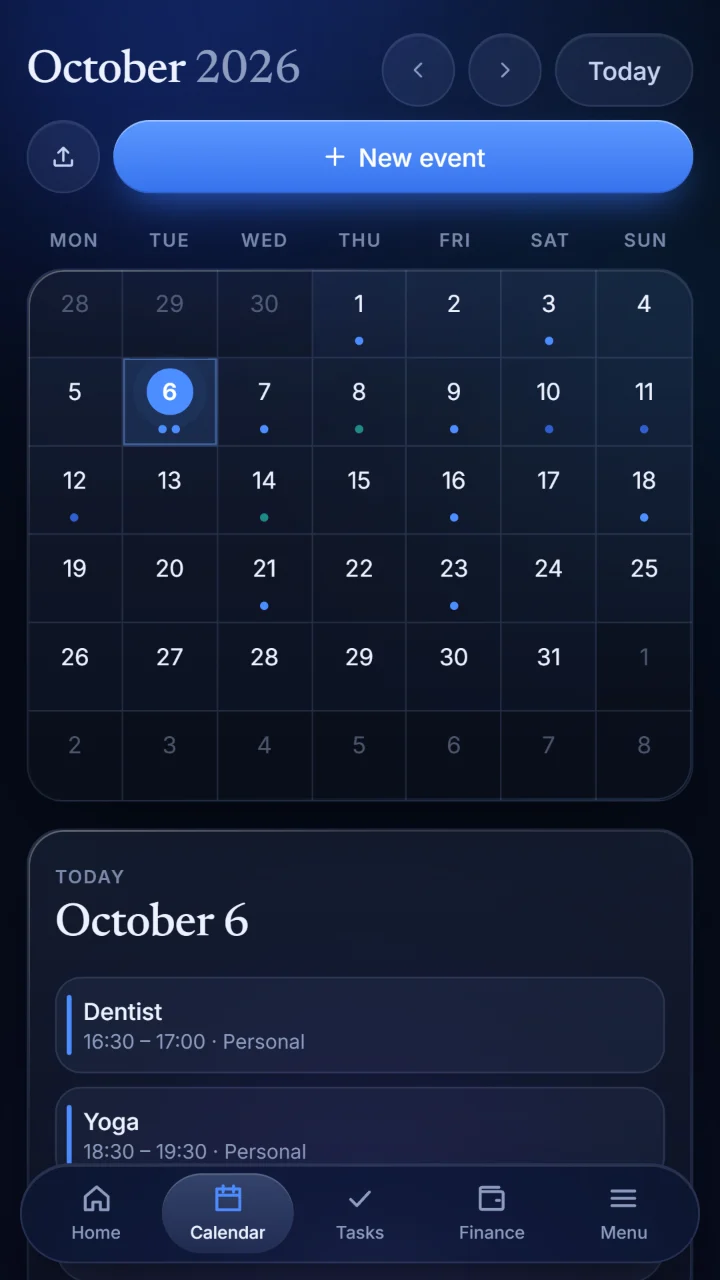
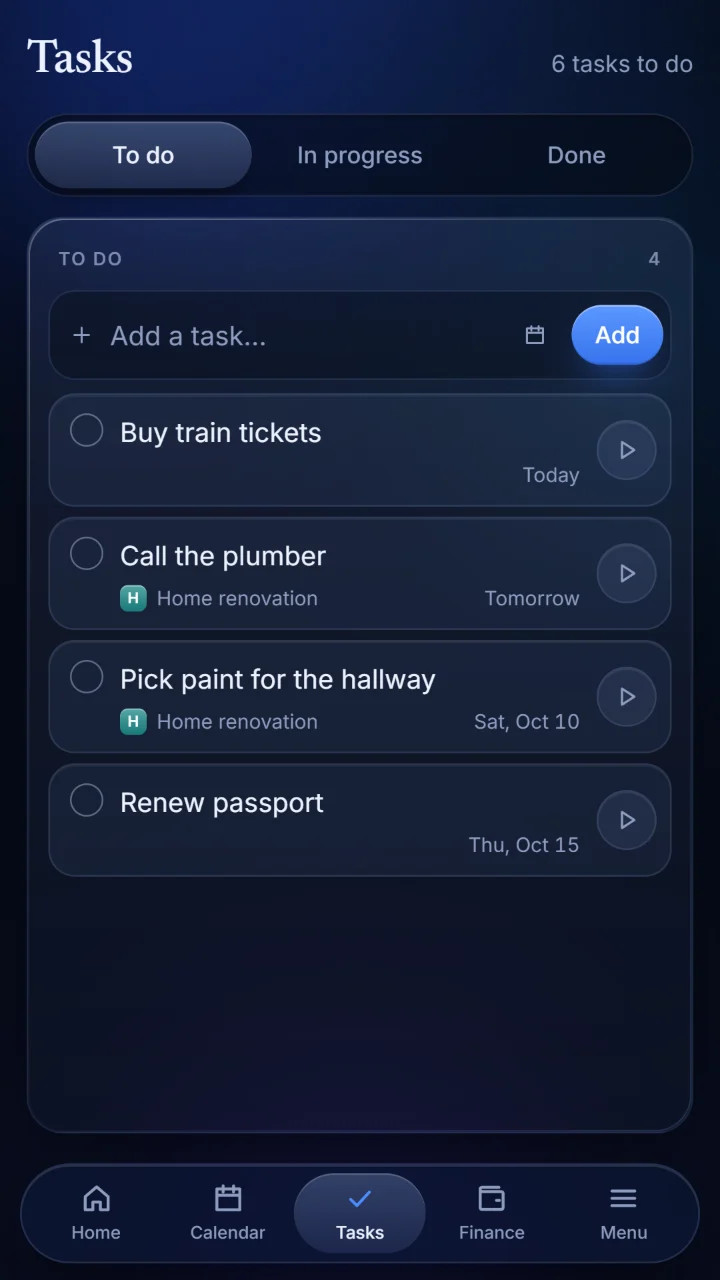
The calendar and the tasks sit next to your notes, not in another app.
Finance
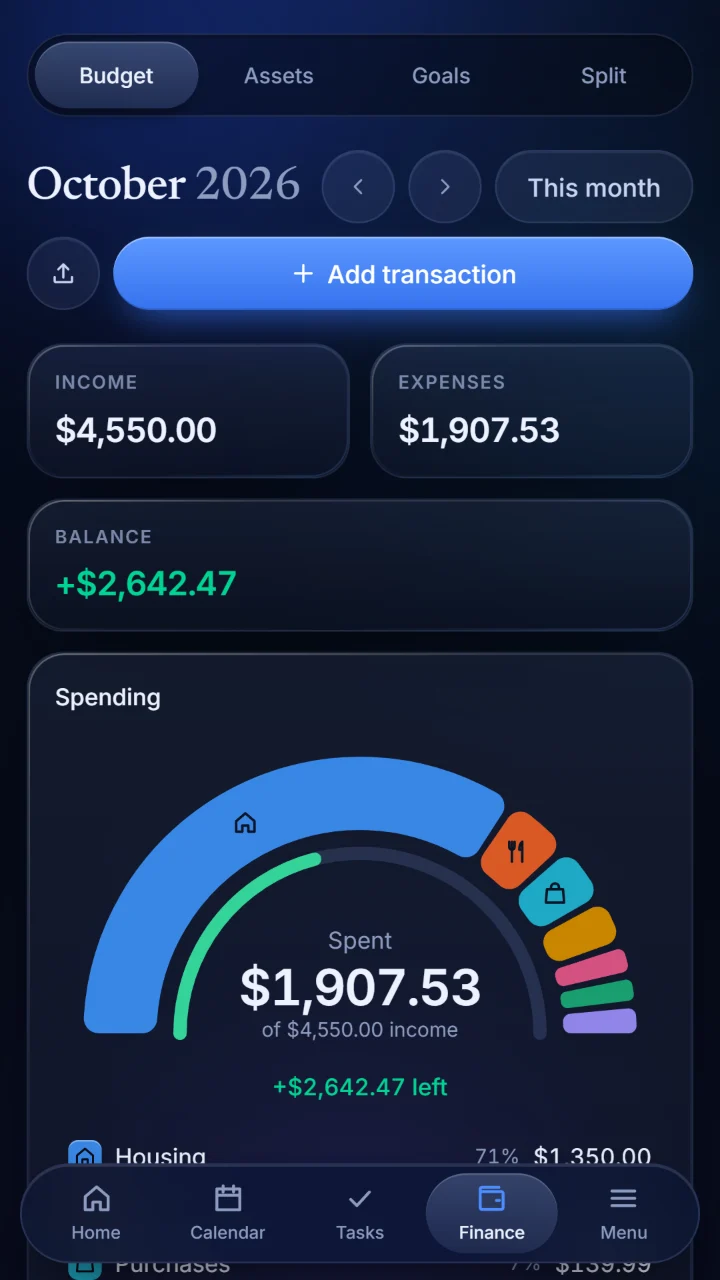
See where a month went at a glance, and what is left of it.
Organizations
An organization has its own Home, calendar, tasks, finances, drive and workspaces, apart from everyone's private things.
ReefAI
Ask in your own words, and ReefAI looks things up and changes them for you, always asking first before it writes.
Yours
What you write is yours. The app is built to leave it that way.
No advertising and no analytics tools. Nothing follows you around.
Screenshots and broker reports you import are read on your device and never sent anywhere.
Your content is stored on servers in the European Union.
Delete your account with everything in it, in the app or on this site.
Sign up with an email address and a name, and the first page is yours to write.
Notereef trzyma to, co zwykle jest rozrzucone po pięciu aplikacjach: strony pisane samodzielnie lub z innymi, kalendarz, zadania, budżet i oszczędności, arkusze, tablice i pliki, a do tego asystenta, który pomaga przy tym wszystkim.
Bez reklam i bez śledzenia. Po polsku, angielsku, niemiecku i hiszpańsku.
Co jest w środku
Jedna aplikacja zamiast pięciu i jeden spokojny wygląd dla całości.
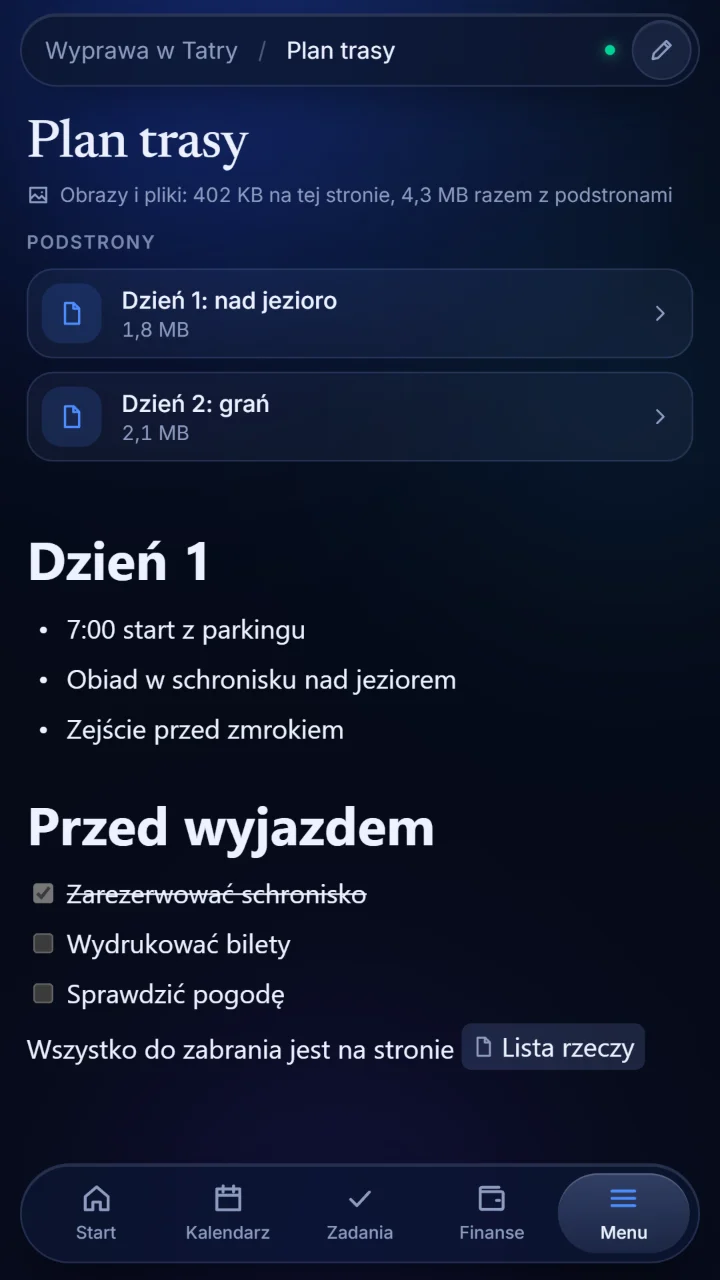
Pisz w przestrzeniach, samodzielnie albo wspólnie na żywo, z kursorem każdej osoby na stronie. Dodawaj obrazy i pliki, łącz strony znakiem @ albo [[ ]], przeciągaj jedną pod drugą i oglądaj je wszystkie jako graf.
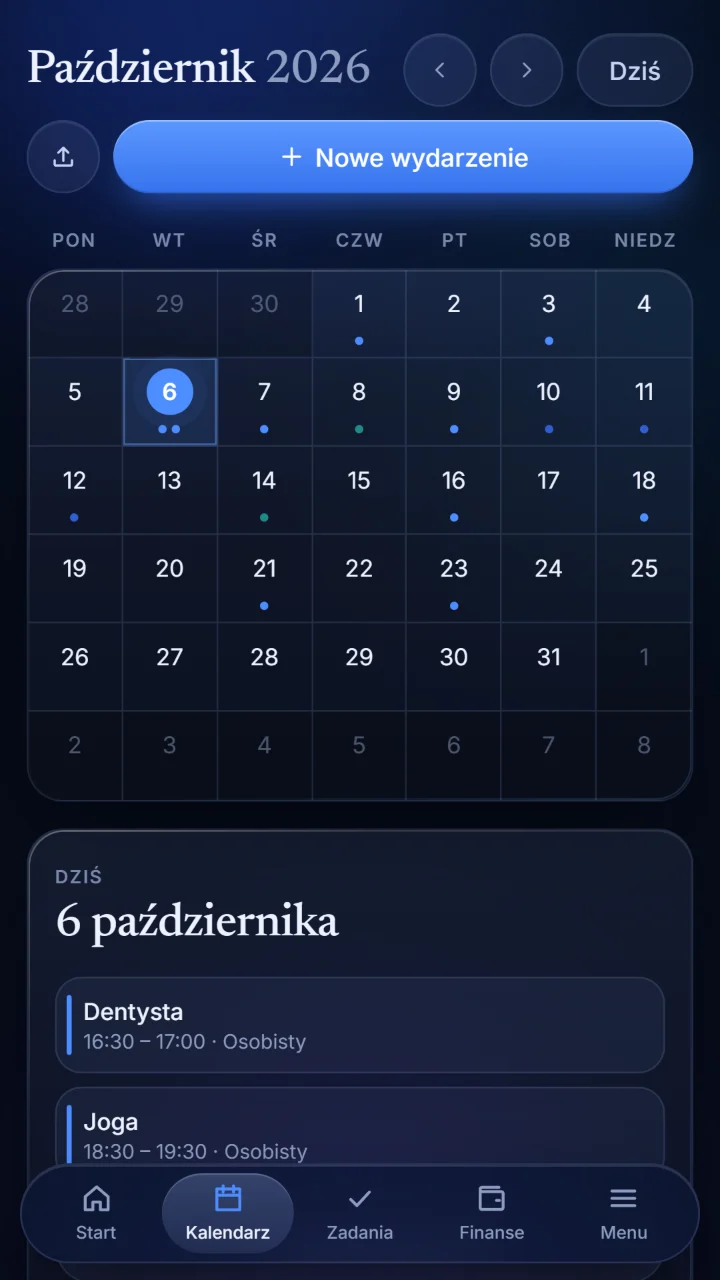
Twoje dni i to, co w nich zaplanowane, tylko dla Ciebie albo wspólnie z przestrzenią. Wydarzenia mogą wracać co tydzień, miesiąc lub rok, a plan zajęć można odczytać ze zrzutu ekranu.
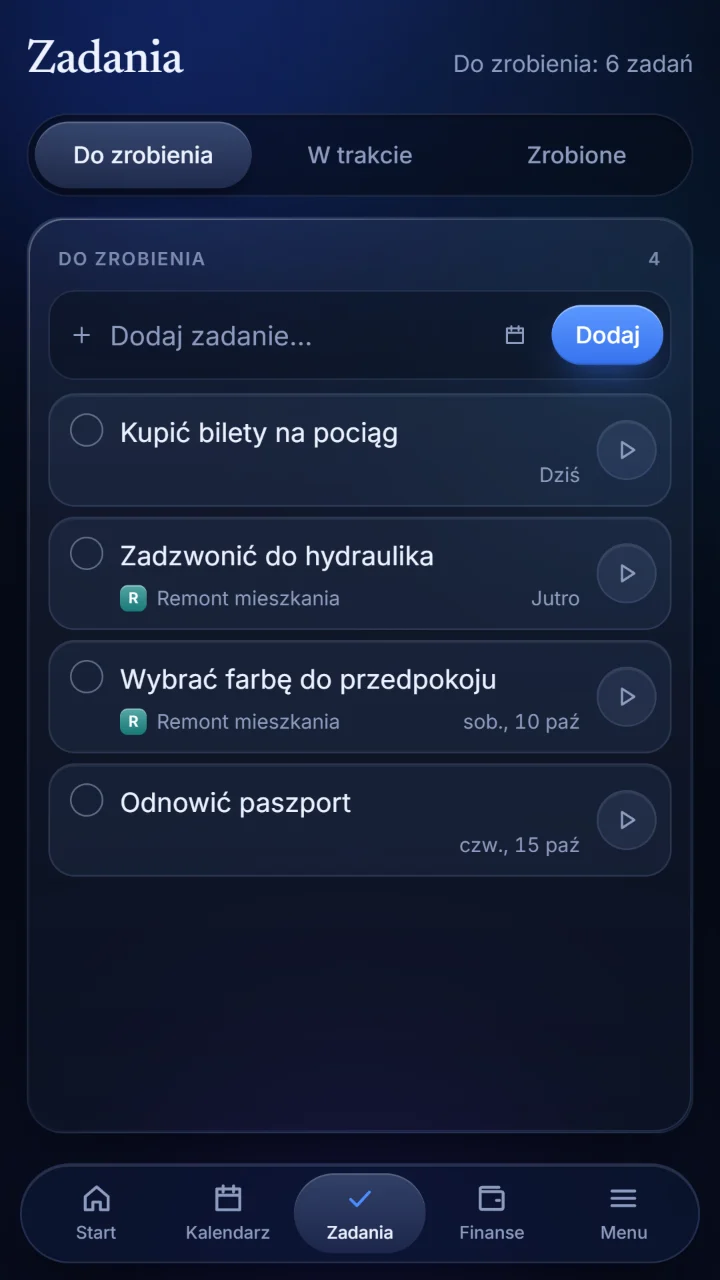
Tablica z trzema kolumnami: do zrobienia, w trakcie i zrobione. Z terminami, przypomnieniami na telefonie i, w organizacji, wydziałem, który ma zadanie wykonać.
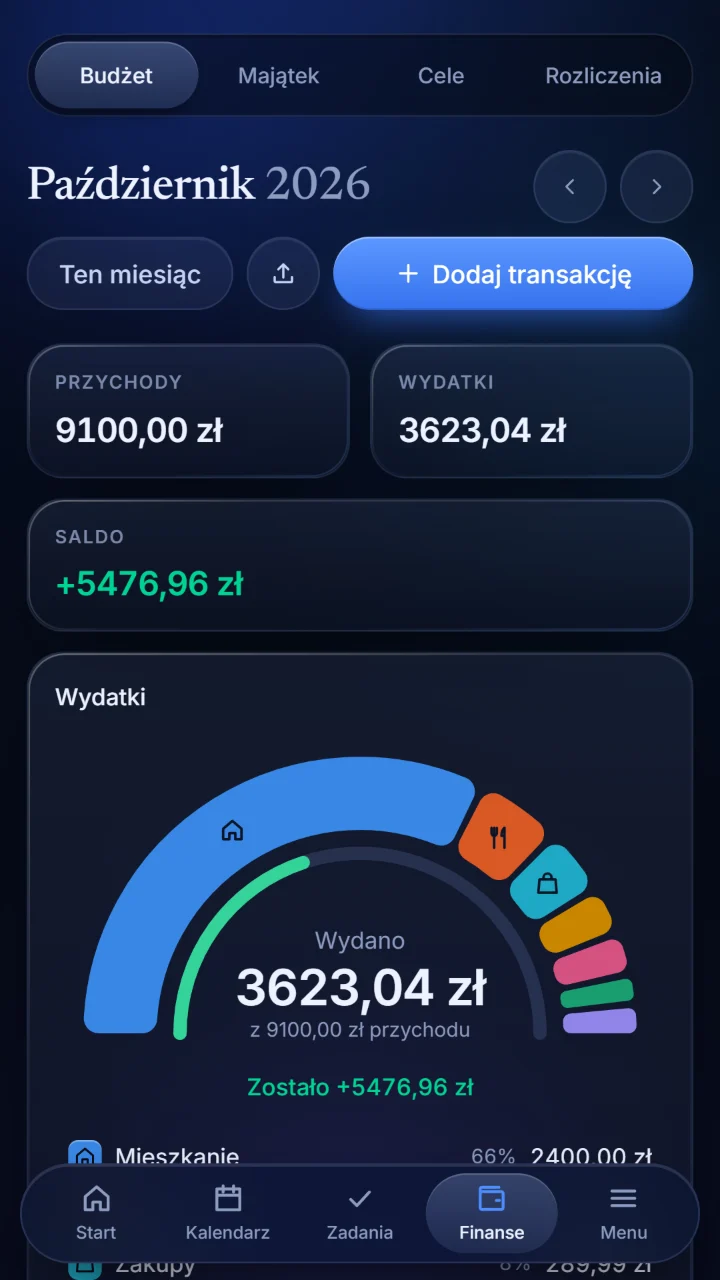
Budżet miesiąca, cele oszczędnościowe i wydatki dzielone ze znajomymi. Akcje i fundusze w aktualnych cenach, z każdym kupnem i sprzedażą oraz wartością portfela w czasie.
Komórki z wartościami, formułami i około setką funkcji, udostępniane jak wszystko inne. Komórkę może nawet wyliczać kilka linijek kodu.
Szkicuj, pisz i przyklejaj karteczki na tablicy bez krawędzi, samodzielnie albo z innymi.
Własne pliki i foldery oraz wspólny Drive każdej organizacji. Udostępniaj folder wybranym osobom, wgrywaj całe foldery albo pobieraj je jako ZIP.
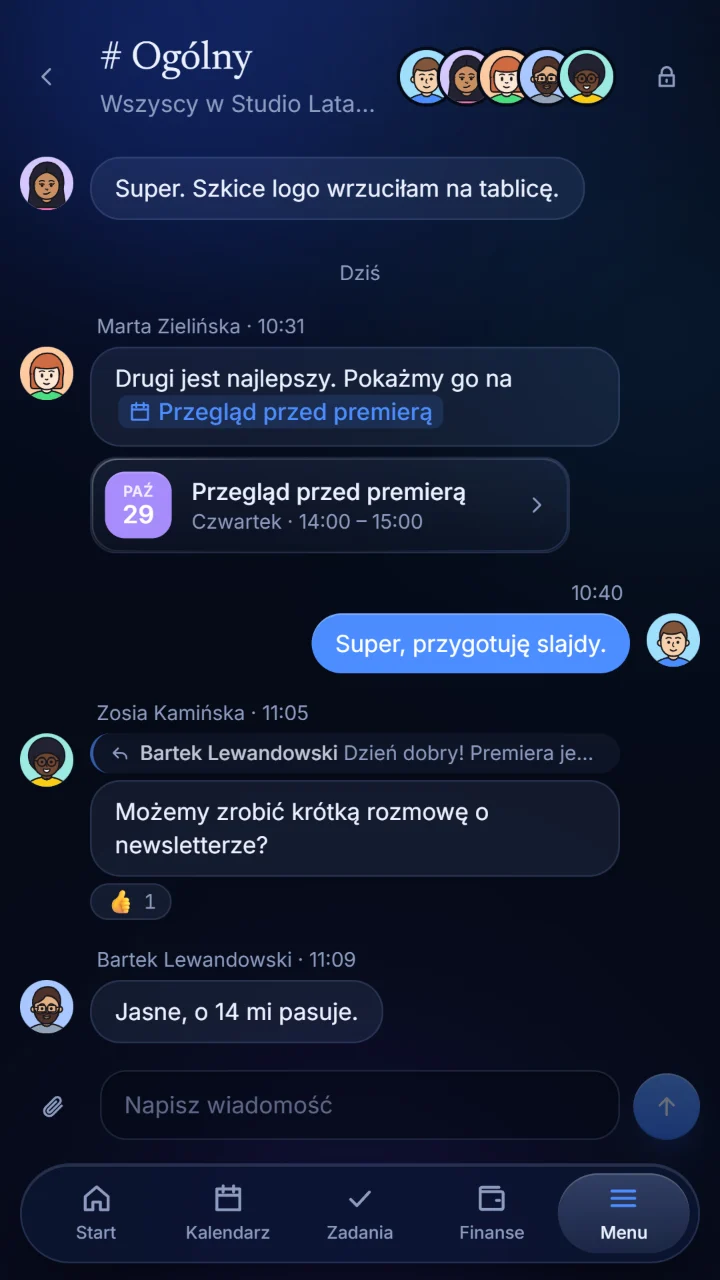
Każda organizacja ma czat: kanały dla wszystkich albo dla wybranych osób i prywatne wiadomości. Odpowiadaj, reaguj, wysyłaj pliki i wskazuj znakiem @ stronę albo wydarzenie. Każdą osobę można zablokować lub zgłosić.
Wspólne miejsce dla rodziny, zespołu lub firmy, z wydziałami. To Ty wybierasz, część po części, kto może zmieniać, kto tylko oglądać, a kto nie widzi nic.
Asystent, który zagląda do kalendarza, zadań, stron, arkuszy i finansów i dopisuje do nich, gdy na to pozwolisz. W aplikacji na Windows działa na Twoim komputerze, pracuje w folderze i szuka w internecie; wszędzie może też użyć Twojego klucza do Gemini, Claude albo ChatGPT.
Na Windows powiedz „Hey Reef” i poproś: otwórz program, puść piosenkę, zmień głośność albo klikaj i pisz za mnie w programie. Kulka na ekranie słucha i widzi to, co zaznaczysz.
W aplikacji na Windows uruchamiaj własny program i korzystaj z jego strony wprost w Notereef, obok całej reszty. Jego pliki mogą być przy Twoim koncie i wspólne z osobami, którym ufasz.
Strony
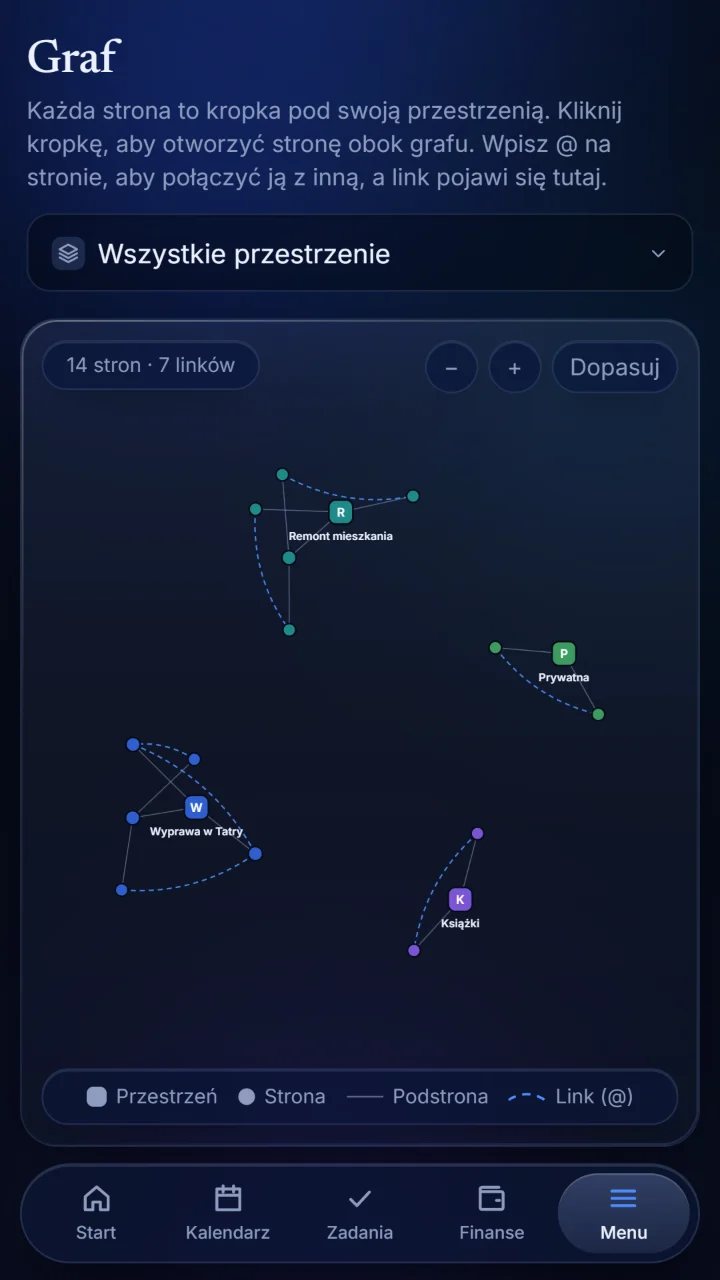
Każda strona to kropka pod swoją przestrzenią. Wpisz @, żeby połączyć jedną stronę z drugą, a połączenie pojawi się na grafie.
Kalendarz i zadania
Kalendarz i zadania są tuż obok notatek, a nie w innej aplikacji.
Finanse
Jedno spojrzenie i wiesz, na co poszedł miesiąc i ile z niego zostało.
Organizacje
Organizacja ma własny ekran Start, kalendarz, zadania, finanse, Drive i przestrzenie, oddzielnie od prywatnych rzeczy każdej osoby.
ReefAI
Poproś własnymi słowami, a ReefAI sam sprawdzi i zmieni, co trzeba, zawsze pytając, zanim cokolwiek zapisze.
Twoje
To, co piszesz, jest Twoje. Aplikacja jest zbudowana tak, żeby tak zostało.
Żadnych reklam ani narzędzi analitycznych. Nic za Tobą nie chodzi.
Importowane zrzuty ekranu i raporty maklerskie są odczytywane na Twoim urządzeniu i nigdzie nie są wysyłane.
Twoje treści są przechowywane na serwerach w Unii Europejskiej.
Usuń konto ze wszystkim, co w nim jest: w aplikacji albo na tej stronie.
Załóż konto, podając adres e-mail, imię i nazwisko, a pierwsza strona czeka na Twoje słowa.
Notereef bewahrt auf, was du sonst über fünf Apps verteilen würdest: Seiten, die du allein oder mit anderen schreibst, einen Kalender, Aufgaben, dein Budget und deine Ersparnisse, Tabellen, Whiteboards und deine Dateien, mit einem Assistenten, der bei allem hilft.
Keine Werbung, kein Tracking. Auf Deutsch, Englisch, Polnisch und Spanisch.
Was drin ist
Eine App statt fünf, und ein ruhiges Aussehen für alles.
Schreibe in Arbeitsbereichen, allein oder gemeinsam in Echtzeit, mit dem Cursor jeder Person auf der Seite. Füge Bilder und Dateien hinzu, verknüpfe Seiten mit @ oder [[ ]], ziehe eine unter die andere und sieh sie alle als Graph.
Deine Tage und was in ihnen geplant ist, nur für dich oder mit einem Arbeitsbereich geteilt. Termine können jede Woche, jeden Monat oder jedes Jahr wiederkehren, und ein Stundenplan lässt sich aus einem Screenshot einlesen.
Ein Board mit drei Spalten: zu erledigen, in Arbeit und erledigt. Mit Fristen, Erinnerungen auf deinem Handy und, in einer Organisation, der Abteilung, für die eine Aufgabe gedacht ist.
Ein Monatsbudget, Sparziele und Ausgaben, die du mit Freunden teilst. Aktien und Fonds zu aktuellen Kursen, mit jedem Kauf und Verkauf und deinem Depot im Zeitverlauf.
Zellen mit Werten, Formeln und rund hundert Funktionen, geteilt wie alles andere. Eine Zelle kann sogar von ein paar Zeilen Code berechnet werden.
Skizziere, schreibe und klebe Notizen auf ein Board ohne Ränder, allein oder mit anderen.
Deine eigenen Dateien und Ordner und ein gemeinsames Drive für jede Organisation. Teile einen Ordner mit ausgewählten Personen, lade ganze Ordner hoch oder als ZIP herunter.
Jede Organisation hat einen Chat: Kanäle für alle oder für ausgewählte Personen und private Nachrichten. Antworte, reagiere, sende Dateien und zeige mit @ auf eine Seite oder einen Termin. Jede Person kann blockiert oder gemeldet werden.
Ein gemeinsamer Ort für eine Familie, ein Team oder eine Firma, mit Abteilungen. Du bestimmst Bereich für Bereich, wer etwas ändern darf, wer nur zusehen darf und wer nichts sieht.
Ein Assistent, der in deinen Kalender, deine Aufgaben, Seiten, Tabellen und Finanzen schaut und etwas hinzufügt, sobald du es erlaubst. In der Windows-App läuft er auf deinem Computer, arbeitet in einem Ordner und sucht im Web; überall kann er auch deinen eigenen Schlüssel für Gemini, Claude oder ChatGPT nutzen.
Sag unter Windows „Hey Reef“ und bitte: öffne ein Programm, spiel ein Lied, ändere die Lautstärke, oder klicke und tippe für mich in einem Programm. Eine Kugel auf dem Bildschirm hört zu und sieht, was du markierst.
Starte in der Windows-App ein eigenes Programm und nutze seine Seite direkt in Notereef, neben allem anderen. Seine Dateien können bei deinem Konto liegen und mit Menschen geteilt werden, denen du vertraust.
Seiten
Jede Seite ist ein Punkt unter ihrem Arbeitsbereich. Tippe @, um eine Seite mit einer anderen zu verknüpfen, und die Verknüpfung erscheint im Graphen.
Kalender und Aufgaben
Der Kalender und die Aufgaben liegen direkt neben deinen Notizen, nicht in einer anderen App.
Finanzen
Sieh auf einen Blick, wohin ein Monat gegangen ist und was von ihm übrig ist.
Organisationen
Eine Organisation hat ihren eigenen Start, Kalender, Aufgaben, Finanzen, ihr Drive und ihre Arbeitsbereiche, getrennt von den privaten Dingen aller.
ReefAI
Frag in deinen eigenen Worten, und ReefAI schlägt nach und ändert für dich, was nötig ist, und fragt immer, bevor er etwas schreibt.
Deins
Was du schreibst, gehört dir. Die App ist so gebaut, dass es dabei bleibt.
Keine Werbung und keine Analysewerkzeuge. Nichts verfolgt dich.
Screenshots und Broker-Berichte, die du importierst, werden auf deinem Gerät gelesen und nirgendwohin gesendet.
Deine Inhalte liegen auf Servern in der Europäischen Union.
Lösche dein Konto mit allem, was darin ist, in der App oder auf dieser Website.
Registriere dich mit einer E-Mail-Adresse und einem Namen, und die erste Seite wartet auf deine Worte.
Notereef guarda lo que de otro modo repartirías entre cinco aplicaciones: páginas que escribes a solas o con otras personas, un calendario, tareas, tu presupuesto y tus ahorros, hojas de cálculo, pizarras y tus archivos, con un asistente que te ayuda con todo ello.
Sin anuncios ni rastreo. En español, inglés, polaco y alemán.
Lo que hay dentro
Una aplicación en lugar de cinco, y un mismo aspecto tranquilo para todo.
Escribe en espacios, a solas o en directo con otras personas, con el cursor de cada una en la página. Añade imágenes y archivos, enlaza páginas con @ o [[ ]], arrastra una debajo de otra y míralas todas como un grafo.
Tus días y lo que hay planeado en ellos, solo para ti o compartido con un espacio. Los eventos pueden repetirse cada semana, mes o año, y un horario se puede leer de una captura de pantalla.
Un tablero de tres columnas: por hacer, en curso y hechas. Con fechas límite, recordatorios en tu teléfono y, en una organización, el departamento al que va la tarea.
Un presupuesto mensual, metas de ahorro y gastos compartidos con amigos. Acciones y fondos a precios actuales, con cada compra y venta y tu cartera a lo largo del tiempo.
Celdas con valores, fórmulas y cerca de cien funciones, compartidas como todo lo demás. Una celda incluso puede calcularse con unas líneas de código.
Dibuja, escribe y pega notas en una pizarra sin bordes, a solas o con otras personas.
Tus propios archivos y carpetas, y un Drive compartido para cada organización. Comparte una carpeta con personas elegidas, sube carpetas enteras o descárgalas como ZIP.
Cada organización tiene un chat: canales para todos o para personas elegidas y mensajes privados. Responde, reacciona, envía archivos y señala una página o un evento con @. Cualquier persona puede ser bloqueada o denunciada.
Un lugar compartido para una familia, un equipo o una empresa, con departamentos. Tú eliges, parte por parte, quién puede cambiar las cosas, quién solo puede mirar y quién no ve nada.
Un asistente que mira tu calendario, tus tareas, páginas, hojas de cálculo y finanzas y añade cosas cuando se lo permites. En la aplicación para Windows funciona en tu ordenador, trabaja en una carpeta y busca en la web; en cualquier lugar puede usar tu propia clave de Gemini, Claude o ChatGPT.
En Windows, di «Hey Reef» y pide: abre un programa, pon una canción, cambia el volumen o haz clic y escribe por mí dentro de un programa. Una esfera en la pantalla escucha y ve lo que marcas.
En la aplicación para Windows, ejecuta un programa propio y usa su página dentro de Notereef, junto a todo lo demás. Sus archivos pueden guardarse con tu cuenta y compartirse con personas de confianza.
Páginas
Cada página es un punto bajo su espacio. Escribe @ para enlazar una página con otra, y el enlace aparece en el grafo.
Calendario y tareas
El calendario y las tareas están junto a tus notas, no en otra aplicación.
Finanzas
Ve de un vistazo en qué se fue un mes y cuánto queda de él.
Organizaciones
Una organización tiene su propio Inicio, calendario, tareas, finanzas, Drive y espacios, aparte de las cosas privadas de cada uno.
ReefAI
Pide con tus propias palabras, y ReefAI busca y cambia lo necesario por ti, preguntando siempre antes de escribir.
Tuyo
Lo que escribes es tuyo. La aplicación está hecha para que siga siéndolo.
Sin publicidad ni herramientas de análisis. Nada te sigue.
Las capturas de pantalla y los informes del bróker que importas se leen en tu dispositivo y no se envían a ninguna parte.
Tu contenido se almacena en servidores de la Unión Europea.
Elimina tu cuenta con todo lo que hay en ella, en la aplicación o en este sitio.
Regístrate con una dirección de correo y un nombre, y la primera página es tuya para escribir.